Free Inquiry 5: Elk Lake (bonus) + Final Free Inquiry Reflection
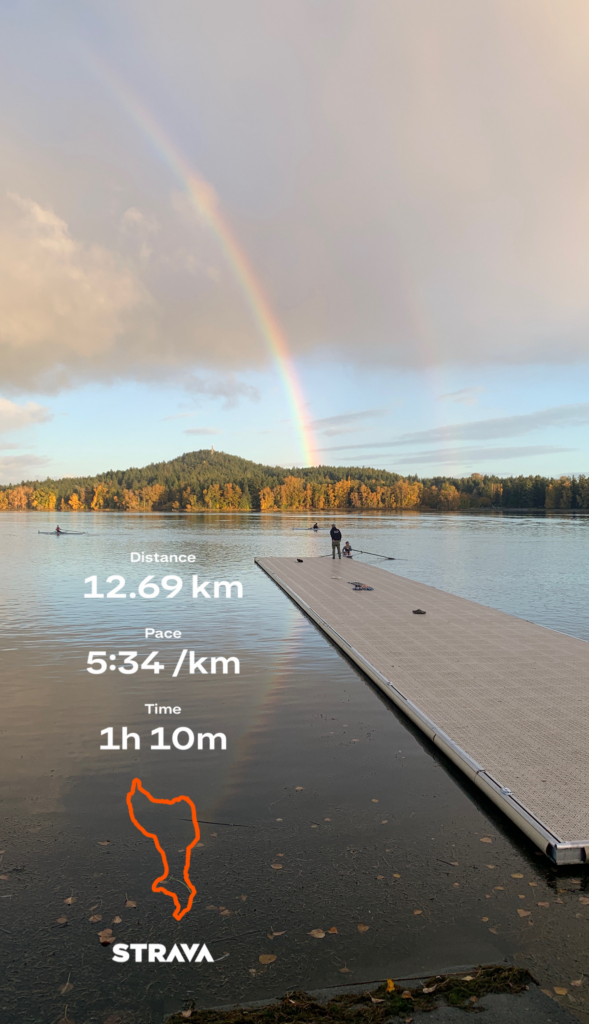
Rainbow over the Elk Lake dock overlayed with Strava data.

Map: This week’s route started and ended at Elk and Beaver lake, following the 10km loop that surrounds both lakes including a section that was completed twice. Below is a Satellite map overlayed by speed heatmap depicting km markers.

Terrain: The majority of this trail is gravel or chip trail, with small sections of paved road near the boat launch on the Elk Lake side.

Distance/Elevation: The total distance of this route was 12.69km, for which the entirety ran for just over an hour. The total ascent was 48m (fairly flat) and descent was 172m, with a maximum elevation of 66m.
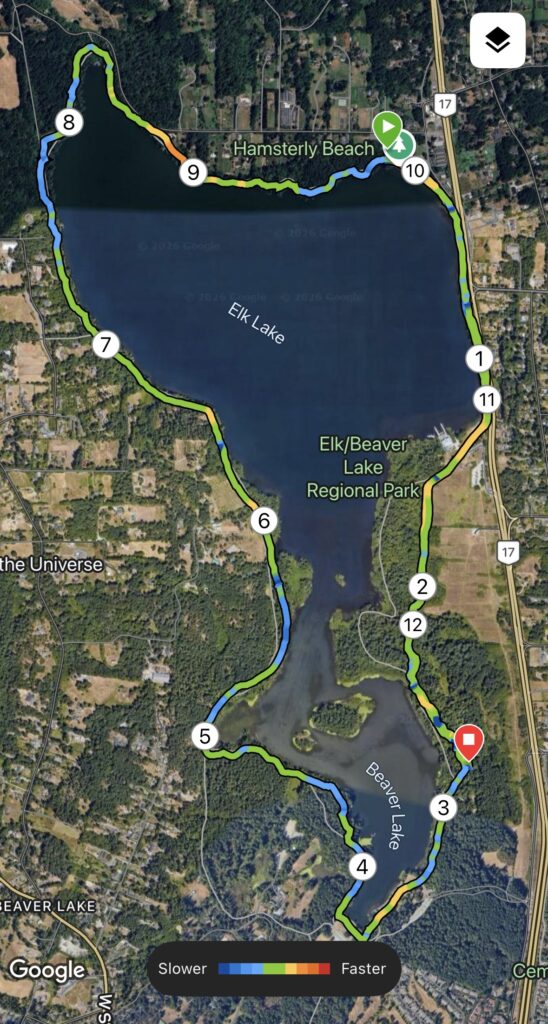
Satellite map of elk and beaver lake with overlayed speed heatmap

An Honest and Thorough Review: The 10km loop is one I have run quite frequently over the years, however, it deserved an honorable mention for this week’s free inquiry given this was the first time I had partnered my training with time spent with family. My parents and I started from the same side of the lake, headed opposite directions while I ran and they both walked the dog. I crossed paths with them around 6.3km (3.5km for them), and continued my lap to finally meet them again at 12.7km. I was unsure at first how well it would work with running and walking speeds, but it worked very well – they got a long walk in, and I was able to fit in a mid-distance run in totaling over 10km. The traffic on the trails was generally low, with some other dog walkers or bikers, but lots of space. Given the trail, there is no vehicle traffic and great coverage from the wind/rain or sun in the summertime. Overall, this is a route I would recommend to almost anyone. The views of the dock (shown above) and the boathouse are quite stunning when it is sunny… you might even see a rainbow!

Rating: 5/5

Media: All today’s media were photos taken by me or generated by Strava and Garmin Connect.

Final Free Inquiry Reflection

Overall, I found these free inquiry posts extremely engaging and fun! I enjoyed my topic and how much it motivated me to diversify my run routes and reflect on their pros and cons. It allowed me to explore new routes, analyze some interesting data, and gather a list of routes I can not pass on to friends or save for myself in my future training. Most specifically, I enjoyed breaking down my inquiry posts by category, including some light-hearted humor, and playing with Strava app data as I have not spent time using it in depth previously (I have relied almost purely on Garmin Connect).

EdTech tools I used in my inquiry posts included Alt text, captions, UnSplash (to find photos), Strava, and Garmin Connect. I also found WordPress quite easy and accessible to learn how to use. I would advise future 336 students to find something they are excited about, can easily get their hands on media for, and have fun with creating a WordPress site that they will be able to look back on in the future! I would say that many of the manual and tech skills I practiced and used in doing my inquiry reflections will be helpful for me moving forward as an educator – communication, organization, website building, blogging, etc.

Reflection 9: Online Citizenship

Photo of an unlocked iPhone sitting on a desk tabletop.

In today’s class, we covered different components of online citizenship: privacy, cyberbullying, consent, and digital safety.

What I found most interesting about today’s course content was the concept of browser fingerprinting and data brokers as it relates to the common myth that our cell phones are listening to our every move. Though I have learned about browser fingerprinting and implications of sharing location and search data in the past, I was not aware of the precise methods through which targeted ads or personalized data were gathered, nor did I have a good grasp on how to change these settings on an iPhone or avoid browser fingerprinting on my laptop.

Moving forward, I think this is an important lesson to be discussing with adolescents in middle and high schools, given the fact that almost 99% of teens (ages 15-24) in recent years have established an online presence, interact with social media sites (Statistics Canada, 2022). In my future classroom, I hope to be able to briefly cover some digital literacy surrounding security and privacy prior to encouraging my students to conduct research and build projects online. I also think the simple activity of googling yourself like we did in class today can help students realize how public they have made themselves online.

On a personal level, I currently use Google Chrome and will consider switching to a shielded browser such as Brave of Firefox, to prevent tracking and fingerprinting of my work, in addition to keeping my iPhone settings toggled off tracking for individual apps (I had already set it this way). Overall, I found today’s lesson was a very helpful expansion on my current knowledge, and encouraged me to consider the ways through which I will need to communicate this to my students.

Images for today’s post were obtained from UnSplash.

Reflection 8: EdCamp

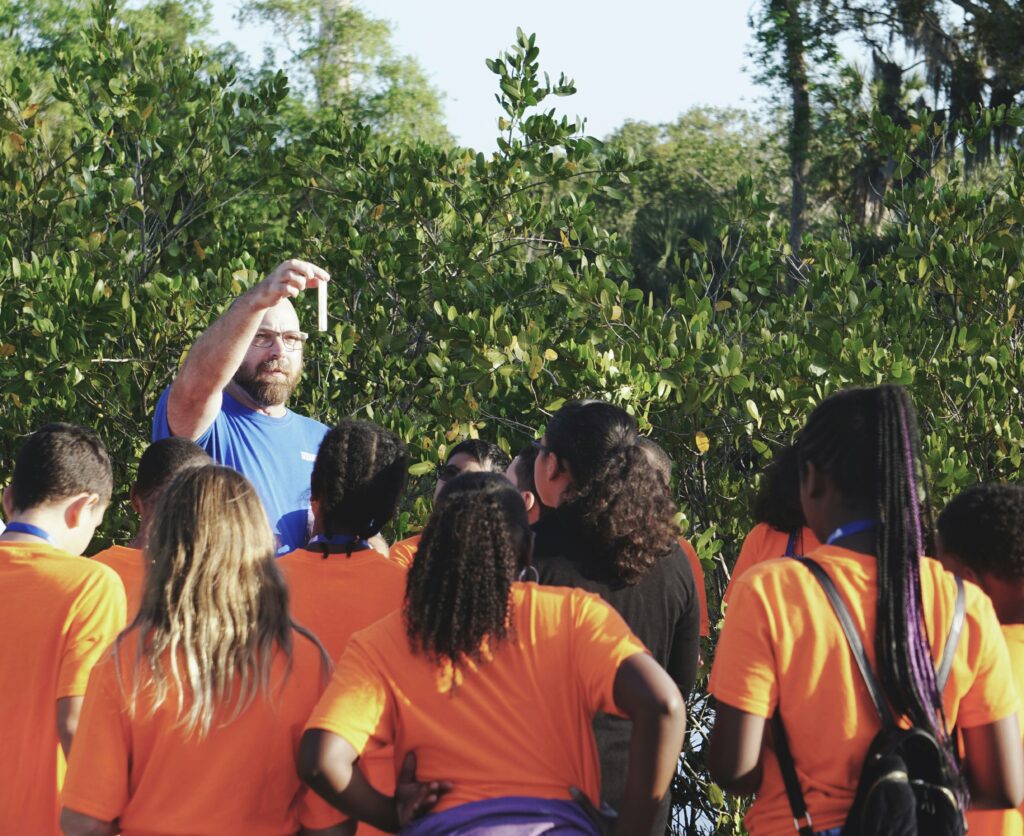
This week, we participated in an EdCamp – a virtual conference style discussion concerning a chosen topic related to learning and student development. Our group focused on outdoor learning, as it pertains to different subjects, including cross-curricular applications, benefits, and challenges for students.

Students learning outdoors from a teacher.

Overall, the EdCamp was a very efficient way to engage with colleagues virtually, without planning an event requiring a venue, registration list, guest speakers, technology, and other conference logistics. Our group was able to vote on a topic and begin a discussion within 15 minutes, in breakout rooms, and engage in professional conversation as we would sitting in a conference room. I think that EdCamps would be an exceptional tool for teachers (and students alike) to use on Pro D days, or with international colleagues. It provided the perfect opportunity for a focused discussion and minimal preparation, unlike a conference. One drawback to EdCamp is the inability to be in the same room, engaging in a tactile way with materials and developing professional relationships in person. The other concern would be to ensure equitable access to a device so all individuals can attend virtually. I think it would be important to engage with both EdCamp style conferences and in person style conferences to ensure adequate professional development.

Our session on Outdoor Learning was very productive – including discussion highlights as follows:

  • Intentionality of promoting our students’ engagement with content and material outdoors.
  • High potential for cross-curricular involvement between subject areas (ex. PHE and physics class doing an outdoor lab together)
  • Important for students to learn resilience, preparation and skills through outdoor learning and being outside.

All in all – a productive EdCamp with colleagues that provided us all with tools for practicums and beyond.

Reflection 7: Coding, Computation and Gaming

This week, we discussed the importance and application of coding and computation in the classroom as it relates to problem solving and student development. Further, we looked at the use of games and gameplay in the classroom and their impacts on traditionally ‘boring’ subjects.

Coding and Computation

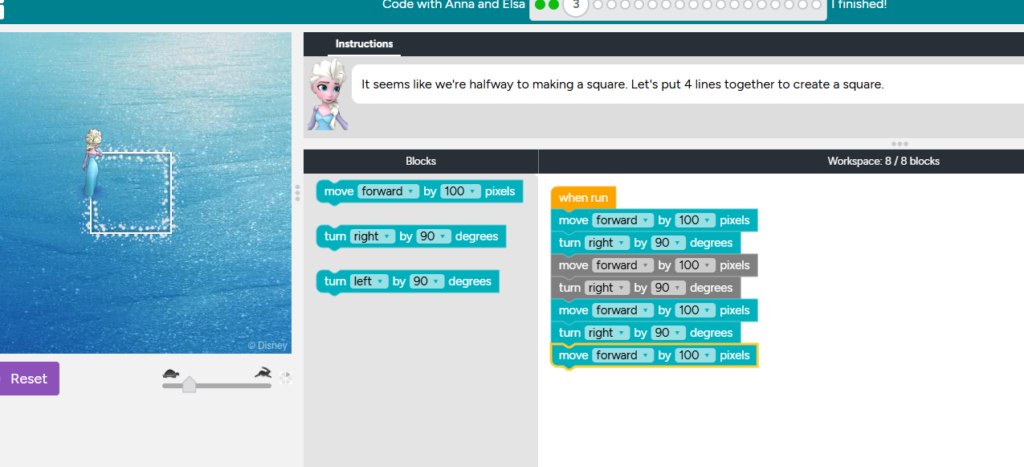
In-class, we explored some code-making using Studio Code’s “Code with Anna and Elsa” tutorial. I found the program relatively easy to use, with supportive instructional videos and prompts. In addition to stepwise instruction, the program also provides correctional prompts and informs the user if they have performed the task correctly – similar to what a teacher’s role would be when a student is learning a task. I could see this program being exceptionally useful at a middle school (or perhaps even Elementary) level to introduce computer skills, coding, and digital literacy. It includes well-known characters that kids would engage well with, and also is accessible to learners by way of written instruction, verbal instruction, and chunked material that is easy to work through at your own pace. Overall – useful tool for computer specific classes at a junior level, or beginner computer science or math classes at a secondary level. In the context of my subject areas, I would find this hard to authentically incorporate at a secondary level in classes that were not computer science or math specific, as this program specifically does not engage with science, English or French content. However, I do see clear applications for junior math classes, as it encourages development of BC Curriculum Competencies of critical thinking, decision making, and communication.

Below is a screenshot of a code example I completed in class today.

Gaming

For subjects like science and math, the use of gameplay could offer a significant outlet for engagement and interest for some students. Traditional delivery of science and math content often feels complex and overwhelming, often delivered using classical modes of note-taking and unit tests. Although I do believe that both test-writing and note-taking are valuable skills for our students to develop, I think the use of gameplay could alleviate the stress that often coincides with math and science classes. Games could be incorporated into the classroom as a daily 10min activity, offering a break and an outlet for students who are feeling overwhelmed by the content. Many of these educational games still promote development of core competencies such as decision making, communication, and collaboration, as outlined by the BC Curriculum for all subjects, and should therefore remain a valuable tool for any classroom. Math and science centered games or simulations, such as those published by Legends of Learning, PhET, and Gizmos can be used to support teaching of content by providing interactive visuals through which students can obtain knowledge from.

Exploring these resources today helped me gain some perspective concerning how gameplay and coding could be incorporated into my future classroom for mathematics (coding), science (gaming and simulations) or a mini digital literacy unit (both)! Something I would be highly considerate of as I incorporate more digital content into my classes, is students’ screen time. Despite digital games being exceptionally valuable tools, I find myself often reaching for hands-on, interactive learning amongst peers such as board games for math, labs for science, and skits or whole classroom games for language. All in all, I believe a balance of both styles of learning are equally important for well rounded student development.

Free Inquiry 4: Cadboro Bay

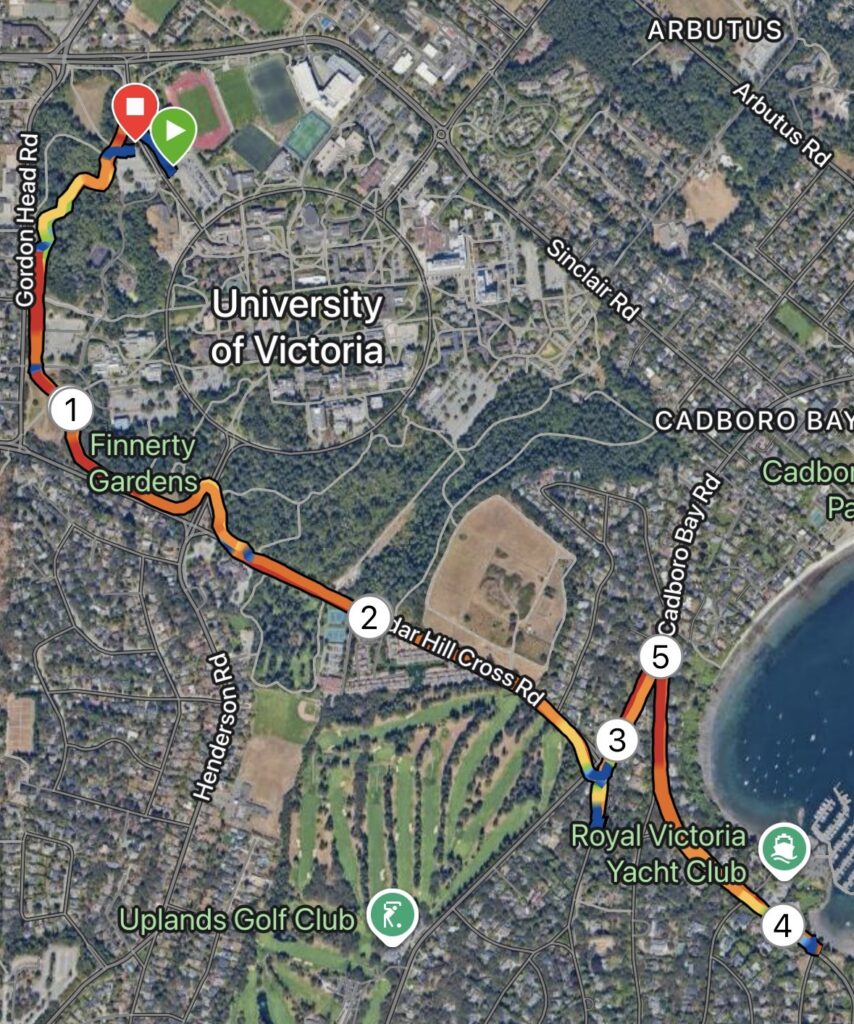
Cadboro Bay route map showing satellite map overlayed by speed heat map and km markers

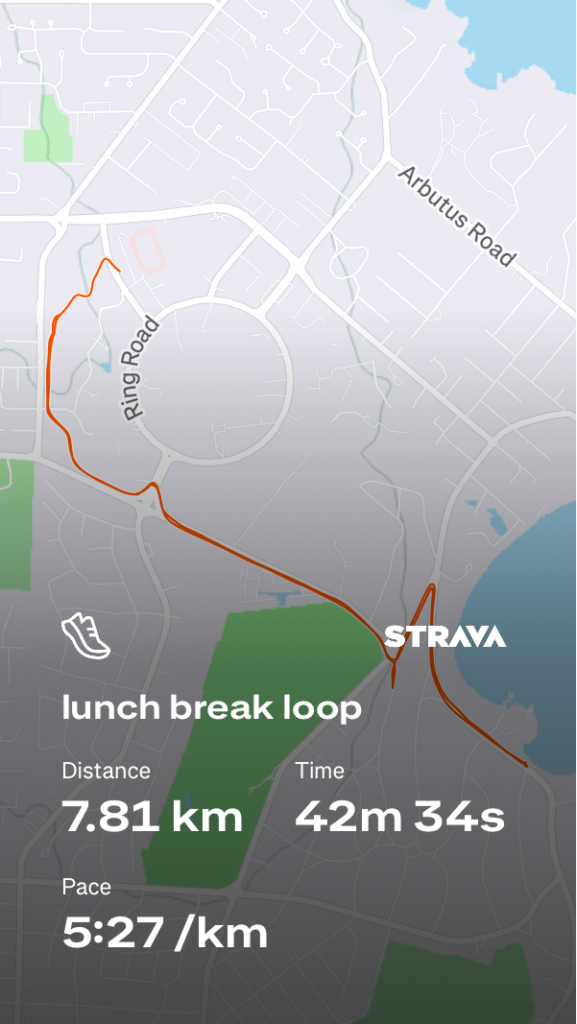
Map: This week’s route started and ended on campus, following a portion of the Alumni Chip Trail Loop before moving to Cedar Hill X Rd and Cadboro Bay Rd all the way to to the Royal Victoria Yacht Club. Shown left is a Satellite map overlayed by a speed heatmap, also depicting km markers.

Terrain: Overall, approximately 60-70% of this route was road base, with the remaining 40-30% covering gravel and chip trails. The majority of the road base sections included a separate pedestrian path or sidewalk, with the exception of a very short section on Cadboro Bay road.

Distance/Elevation: The total distance of this route was 7.81km, totaling to a moving time of just over 40 minutes, following an out-and-back style with a few short hills. Total ascent for this route was 86m, while descent was 80m, with a max elevation of 82m.

An Honest and Thorough Review: Overall, this route is a very do-able lunch break route. The campus trail and Cadboro Bay sections provide decent weather coverage, in contrast to Cedar Hill X Rd, which is simply exposed. Cadboro Bay Rd itself has multiple beautiful beach accesses which provide nice turnaround points or break spots, if this route was incorporated into a long run. The traffic was lightly heavy at crosswalks, likely due to the time of day the route was completed, and there was a significant amount of construction along Cadboro Bay. I would probably do this route again solo, but would avoid presenting it as a candidate for group runs given the limited space on sidewalks and heavier traffic mid-day.

Rating: 3.5/5

Media: I did not have my phone with me this week and therefore do not have any photos of the specific route, but next time you’re driving or walking along Cadboro Bay or Cedar Hill X Rd… consider stopping for a jog 🙂

Reflection 6: Assistive Technology

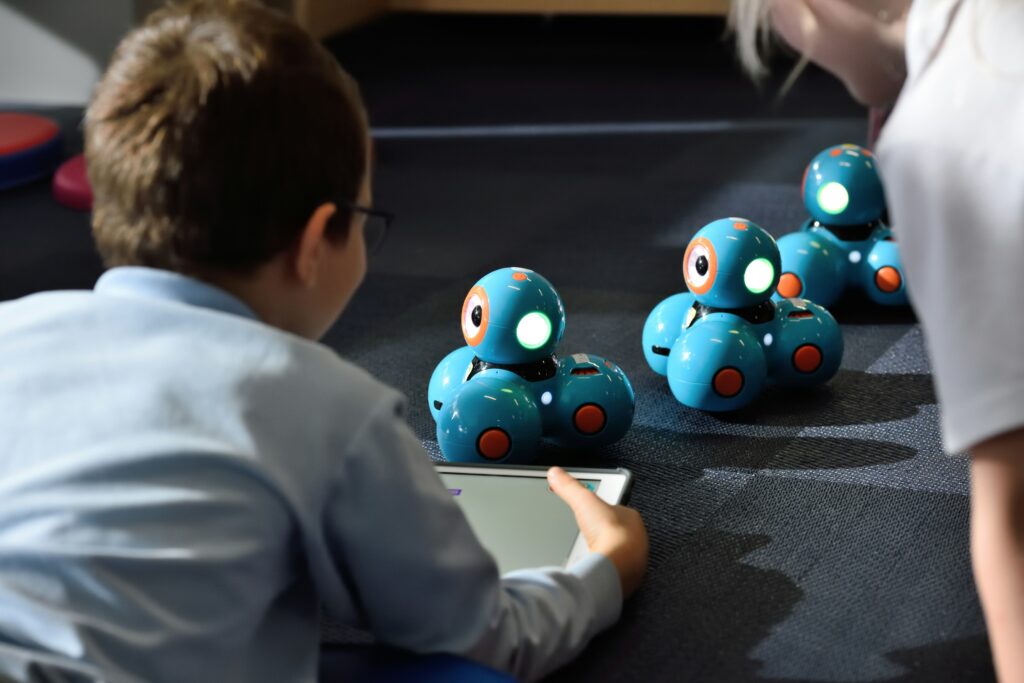
Student using an iPad to gather data concerning stacked piles of blue and red balls.
Photo uploaded from UnSplash.

Weekly Recap

This week, we learned about assistive technology and learning design. To ensure all of our learners can have equitable access to information, as educators we are responsible for creating and publishing content that is multi-modal and accessible in various modes (with alternative text, visual images, audio descriptions, etc.). As demonstrated in this blog post, some important considerations included enabling accessibility of photo and video by way of captions and alternative text. Further, careful attention to color choices in such a way that will pass a colour contrast checker test, so that individuals perceiving colour in different ways can still access your published content. Two models – SAMR and Triple-E – were discussed in terms of evaluating created content for efficacy in learning. Important considerations included attention to engagement for students, tech modifications, and use of tech tools to redefine and extend students’ knowledge of the specific content. Finally, different forms of assistive tech (iPads, PhET, MathConnect, Co:Writer, etc.) were discussed for use in our future classrooms.

Commonly Missed Digital Accessibility Practices

Enabling accessible photo and video is something I find is often missed in classrooms. The majority of our lessons as educators are made available to students who have visual access to powerpoints, worksheets, articles, and documentaries or short videos. This is something I often neglect to include in my papers and (until today) my blog posts, but will be a crucial thing to carry forward for my future students and learners.

Digital Accessibility Practices and Tools

One digital accessibility practices that surprised me was colour contrast checking. Notably in science, where much of our material is colourful and vibrant in presentation, using contrast checkers should be something we integrate more often to ensure accessibility. Some of the tools I liked in particular listed under the Assistive Technologies were those embedded in Microsoft and Google Suite, given that most students are somewhat familiar with these platforms already. I think many students would benefit from using voice-to-text or read-aloud tools to support them as they conduct research and brainstorm ideas for paper writing, lab reports, or projects. Kurzweil is also a wonderful tool I am now aware of and would love to explore the ways in which it could be implemented or integrated into schools for students who benefit from writing and test taking help. Some things I am curious about concerning this tech include privacy concerns, costs, and accessibility for all students in terms of available resources. Can all students who want this support gain access to an iPad or laptop with downloaded software? Is it beyond the school district budgets? Is it easy to teach and learn how to use? Will this replace the support provided by education assistants (EAs)? Personally, I think EAs are critical to student success in more ways that just reading and scribing, by way of building student relationships and personal connections, which is something these tech tools cannot do. However, they could be very helpful as support tools for EAs and students to use together.

Moving forward, I think these are exceptionally important considerations for future educators to ensure their students can learn to the best of their ability in their classrooms.

Free Inquiry 3: Dallas Rd

One of the primary reasons driving my route boredom is that the majority of my runs are completed within the same 21km radius of my house (or so). Luckily, my training group is based in Oak Bay, which has provided ample opportunity for me to explore new routes with friends. Recently, we completed our interval work along Dallas Rd. Though I have walked along the breakwater many times, I neglected to realize it’s high potential for group interval training.

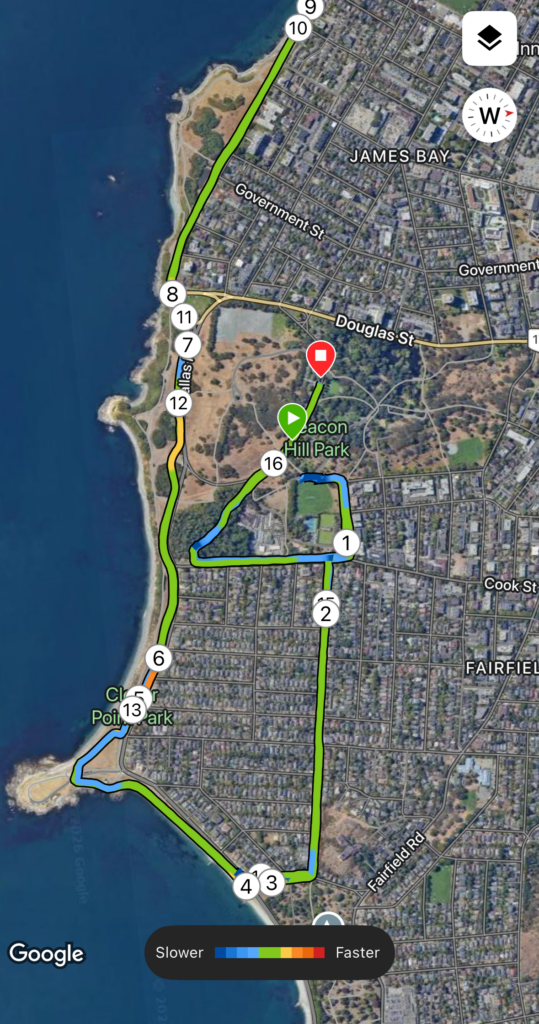
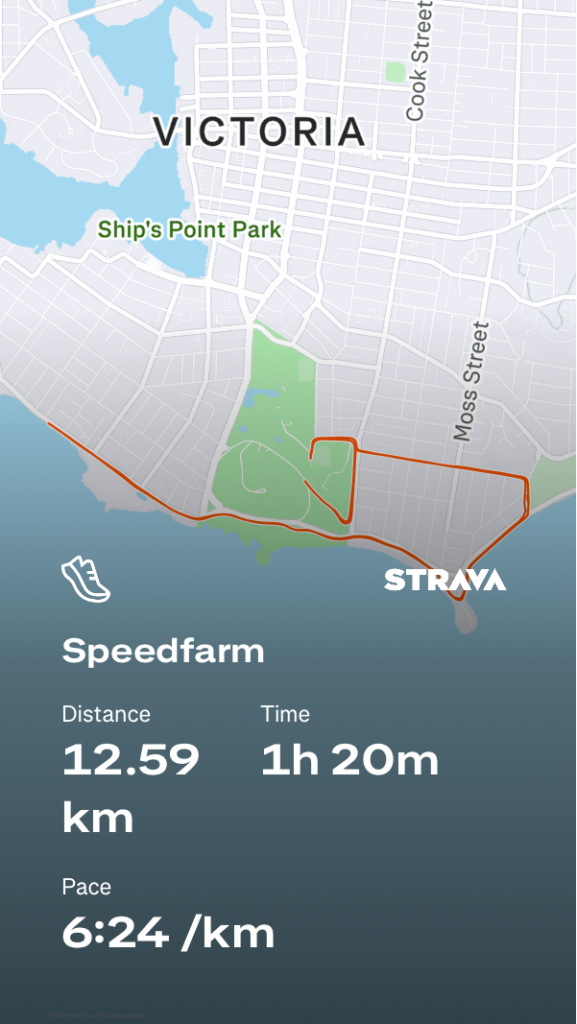
Map: This route began at Beacon Hill Park and included a couple kilometers of warm up towards Dallas Rd, before following the length of Dallas Rd, extending all the way to the breakwater bridge. Shown right is the satellite map, overlayed by a heatmap depicting speed changes throughout the numbered intervals, and the turn-around point on Dallas Rd shown between intervals 9 and 10.

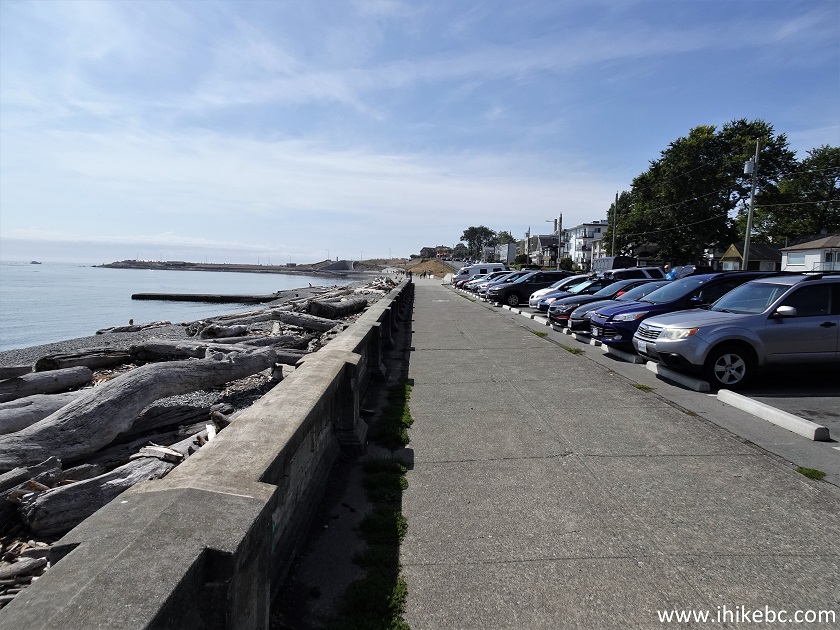
Terrain: With the exception of the few cedar chip trails present during the transition between Beacon Hill Park to Dallas Rd, the entirety of this run was completed on road base (pavement). The section along Dallas Rd itself offers a separate walk/run/bike path on which we completed our intervals. The path was wide enough for us to run in trios, leaving room for other pedestrians or cyclists without obstruction. It also enabled us to run in the dark without worrying about traffic, under streetlights and in small groups.

Distance/Elevation: The total distance of this route was 12.5km, totaling to just under an hour and a half. The intervals themselves were completed along a 4-5km section of Dallas Rd and included a turn around point. The total ascent during this route was 93m, with a descent of 89m, and maximum elevation of 37m. Overall, significantly flat, providing ideal terrain for speedwork.

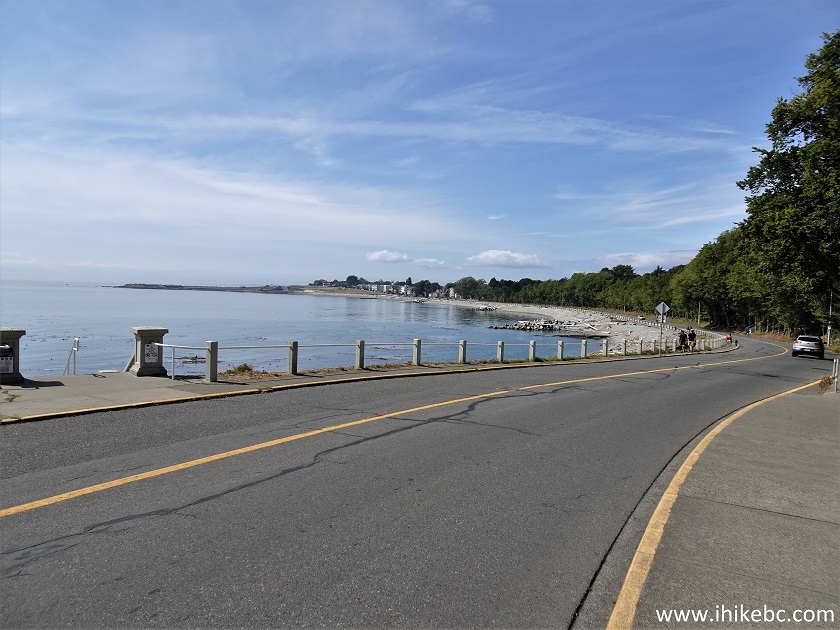
An Honest and Thorough Review: This route provided simple, easy terrain that was ideal for group training after daylight hours. Ample parking at Beacon Hill enabled all of us to start together without finding parking along Dallas Rd, however, there are also several spots at Clover Point that could be an alternative option. Traffic was minimal to non existent, given the separate pedestrian and cyclist path and the private trails through Beacon Hill Park. This route is exceptionally scenic, with a five-star view of the Olympic mountains during daylight hours, and a peaceful view of the Victoria Harbour in the evening. Overall, I would say this route is a stellar option for group training at any time of day, regardless of daylight or traffic volumes. The only downside to this routs is its’ lack of protection from any sort of adverse weather; it directly faces rain and wind coming off the ocean.

Rating: 5/5

Media: These photos were not taken at the time of this run, but provide evidence of the daytime views and walking paths. Media was obtained from iHikeBC.

Reflection 5: Professional Development Day

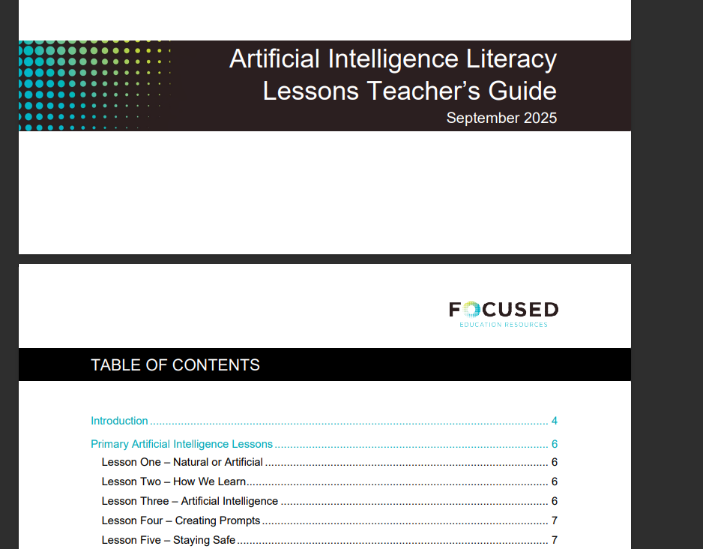
This week, I attended Student AI Literacy Lessons K-12 with Cari Wilson, run as a part of the provincial professional development sessions.

To begin the session, Cari reviewed a brief history of AI, which essentially began in the 1940s when the idea arose that computers may surpass human intelligence. Technology and AI in the decades that followed brought rapid growth and development of AI, resulting in increasing demand for adaptation and learning on behalf of businesses, schools, and individuals. The rate at which these changes are occurring is baffling… it only took ChatGPT 5 days to reach one million users! In order to guide us through this learning, Cari spent the next part of her session outlining primary areas of importance for teachers and students using AI, and our responsibilities that coincide with them, as follows.

  • Privacy – do our students protect their personal information while engaging with GenAI?
  • Ethics – are the AI platforms we use operating responsibly, ethically, and fairly?
  • Equity – do all students and teachers have access to the highest paid version of AI?
  • Hallucinations – are our students educated enough to differentiate and identify hallucinations while using AI?
  • Bias – are our students aware of bias inherently present in AI, the internet, and other forms of published information? Are they learning about bias in general?
  • Deep Fakes – how can we teach ourselves and our students to identify whether media (photo, video) are real or not?
  • Environmental Impacts – what is our country doing to mitigate environmental impacts of data labs? Why should our students know about this?

The final part of the session was spent outlining several resources and guidelines for teachers to support them in educating their students to use AI as a tool, in a safe, ethical and wise manner. A series of lessons has been posted by Focused Education, which provides a breakdown of the topics above for primary, intermediate, and secondary levels.

It is structured in a manner that requires teachers to provide one lesson a month about AI (with the exception of December, March and June), and is scaffolded through to grade 12. This way, students are learning a little more about AI every year, in a consistent, structured manner. This resource provides lesson outlines and pre-existing materials that teachers can deliver through their classrooms. The Teacher’s Guide is exceptionally useful and definitely something I will be saving to implement in my future classroom. Something I would add to this AI lesson model at a secondary level specifically, is the need to review research methods. Students learning how to write scientific or APA-style papers should also understand how to use (or not use) AI how to support their research, and be provided with other, non-AI platforms through which they can find peer-reviewed articles and research. This will support students as they cross the bridge to university, and encourage them to use ethical, established research platforms for their work, rather than relying solely on AI.

Overall, I found this session very useful and will be carrying several aspects of learning forward into my future classrooms as I embark on my own career in the field of education.

Images were generated by UnSplash and from Focused Education.

Free Inquiry 2: YYJ

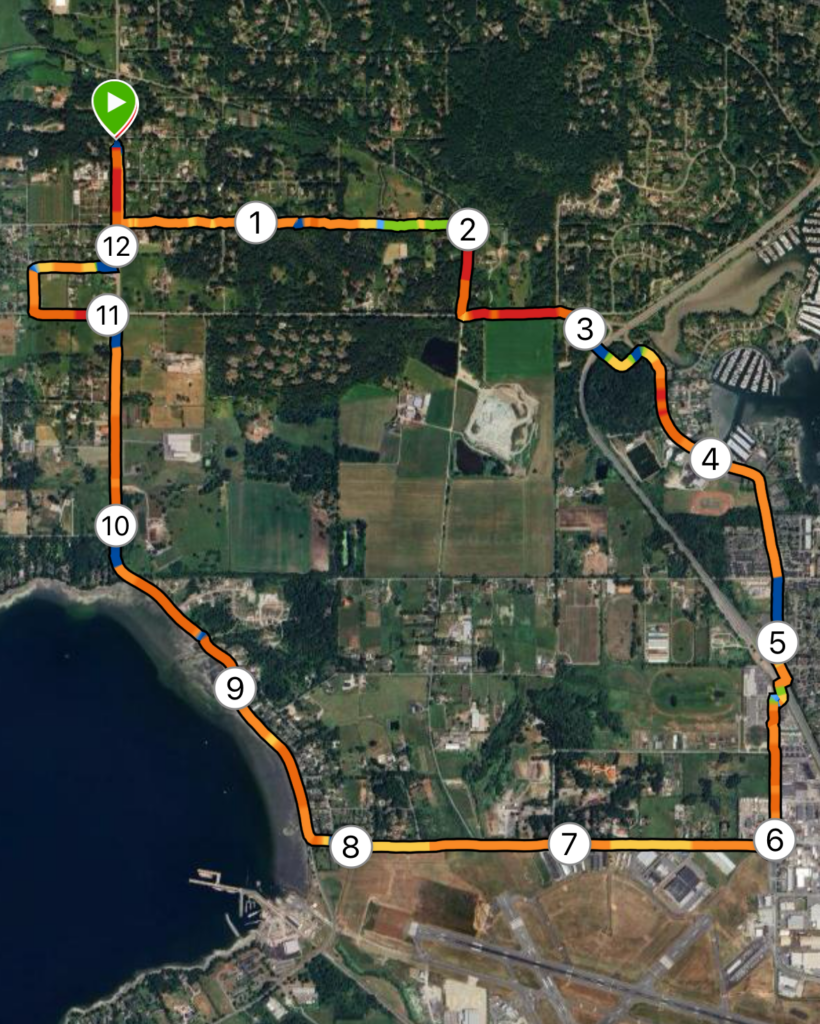
Map: This week, my route was located in North Saanich, extending from Deep Cove out towards the Victoria International Airport (YYJ). Shown left is satellite map generated by Garmin, showing km markers overlayed by a heatmap – red and orange depict flat and level terrain, while green and blue depict steeper, inclined terrain.

Terrain: The majority of this run was road base, with small sections of chip or gravel trail. With the exception of Tatlow Rd and the lower section of Wain Rd, all roads included a bike lane, providing space away from traffic.

Distance/Elevation: The total distance of this route was 12.45km, which equated to 1h6m. Total ascent across this distance was 118m, while descent was 98m, with a maximum elevation of 64m; Overall, very flat.

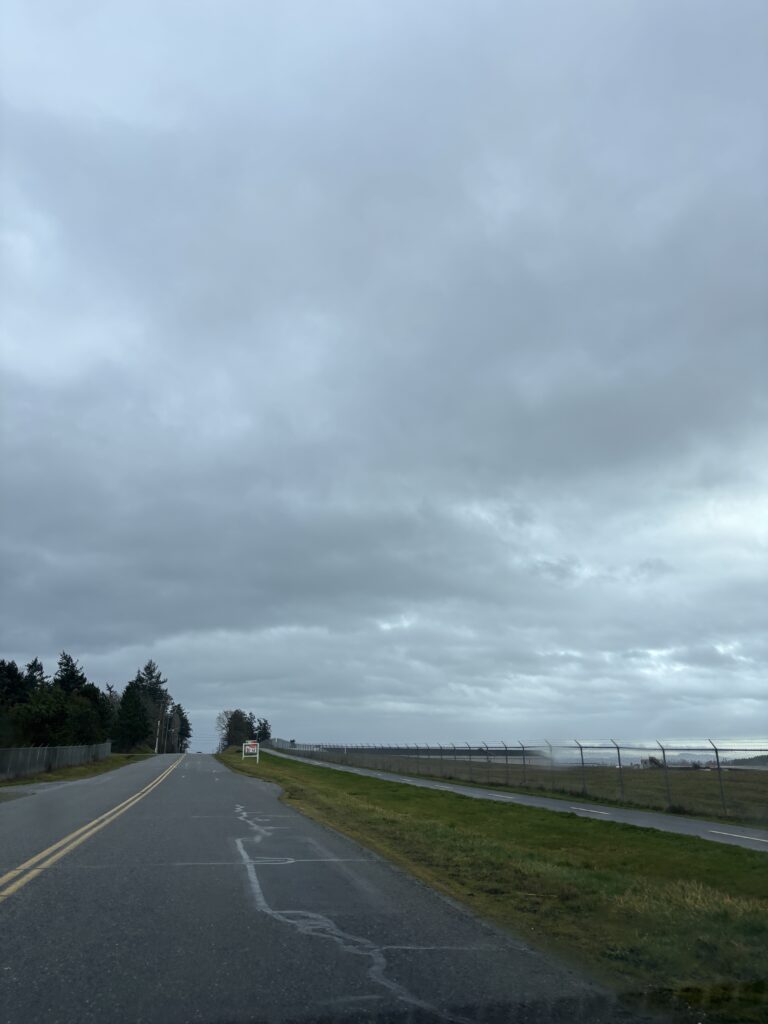
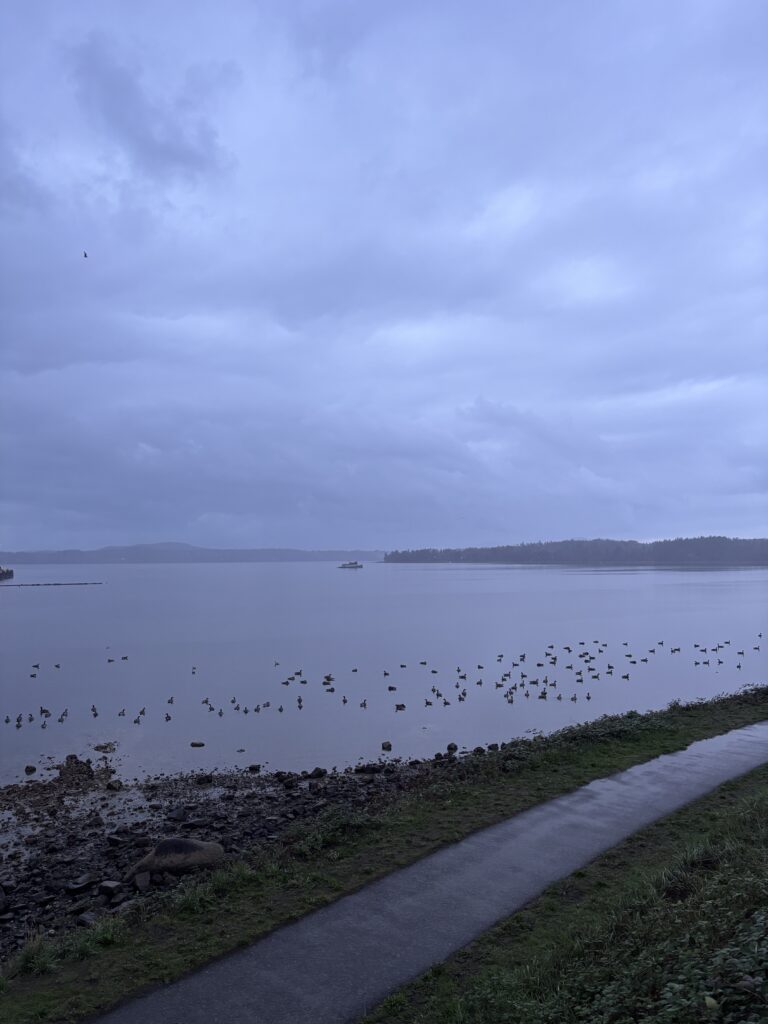
An Honest and Thorough Review: This loop provided a decent, quiet, continuous loop with moderate mileage. Though predominantly pavement, bike lanes and road shoulders helps avoid the feeling of running directly on the road or through busy traffic. I managed to go for this run around lunchtime on a weekday, which was also likely a period of low traffic since as I avoided heavy commute times. Despite not being a scenic trail, the route provided some nice views of the Sidney Harbour, Patricia Bay, and some of the local farms. Though the day I went was quite cloudy, it would also provide a fairly equal balance of sun and shade, which would be an important consideration while repeating this run in the summer months. Overall, I would say this loop is perfect for a comfortable, mid-distance run to be completed outside of rush hour. It would not be a good fit for a group session or fast-paced tempo or time trial run, given the number of crosswalks and single file bike lane or shoulder paths.

Rating: 4 /5

Media:

Reflection 3: Generative AI

This week, we discussed the applications and implications of Generative AI. Initial discussion surrounded the notion that information provided by GenAI may not always be reliable, and the consequences of neglecting to fact-check generated information or examine references GenAI has chosen may be severe when one is using this information in a career or professional space. From a student perspective, we discussed that GenAI is now becoming a quick go-to resource for studying, completing assignments, writing papers, and creating projects. We discussed certain assignments, such as standard five-paragraph essays, reading summaries, worksheets, multiple choice open-book quizzes, lab reports, or biography reports are easily deciphered by GenAI and have high potential to generate quality output. Other forms of assignments, such as personal reflections, specific analyses, presentations, creative writing or project work, interviews, collaborative work, or any oral or in-class work are more difficult for students to run through GenAI and receive quality output. Final discussion surrounded the ethical issues surrounding the use of AI; data privacy, cultural and geographical biases, generational access, critical thinking skill development, and environmental impacts are all serious issues concerning the rising uses of GenAI.

Major Limitations of AI

One of the major limitations of AI include lack of reliability. As educators using GenAI to assist or generate lesson plans, our role becomes quite comprehensive in verifying validity of claims, references, and the material produced. This process can be time consuming, and to some surpasses the point of bothering to use AI in the first place. Using GenAI to create teaching tools offers a wide variety of exciting opportunities but also requires a commitment to verifying work and personalizing lessons plans before teaching. In addition to potential misinformation, generating lessons strictly using AI has been shown to offer low engagement instruction and activities, and neglected to include diverse perspectives and people (Trust et al, 2025). Additionally, there remains the issue of data privacy, as recent studies have revealed storage of personal information, including student numbers, health data, passwords, or social security information is often an issue when GenAI tools are used without discretion (National Education Association, 2025).

How well does GenAI do with Secondary Science?

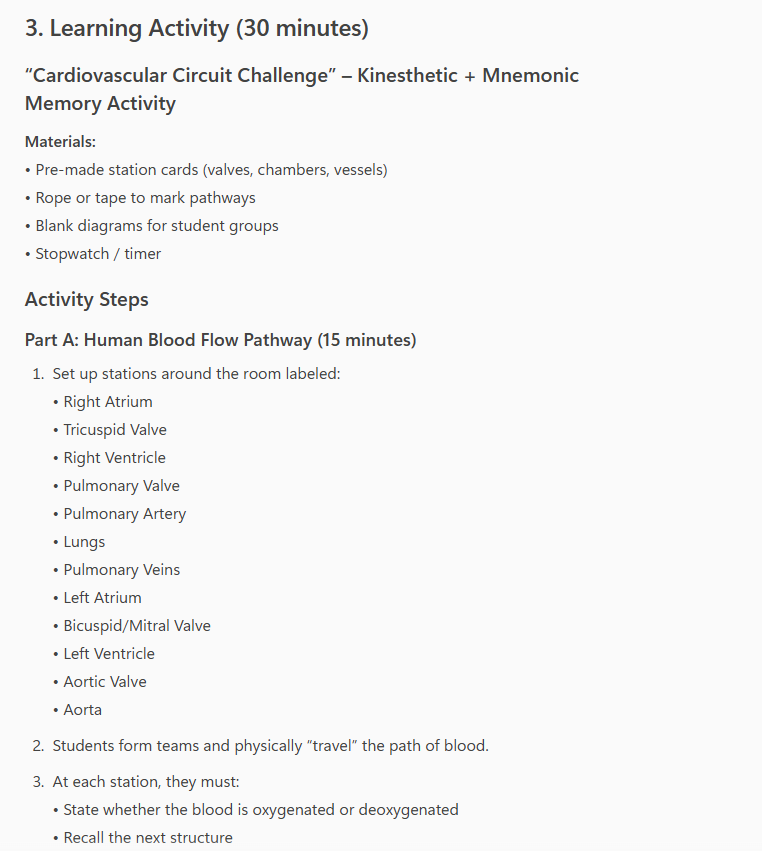
To explore potential uses for GenAI in my teaching area, I asked Microsoft CoPilot to do some analysis and content generation for Anatomy and Physiology 12. Focusing on the cardiovascular systems unit, I entered the following prompt: “Please generate a lesson plan for a 1hr lesson about the cardiovascular system including a 30min activity to help Canadian Anatomy and Physiology 12 students remember what they learned in the instruction portion of this lesson”.

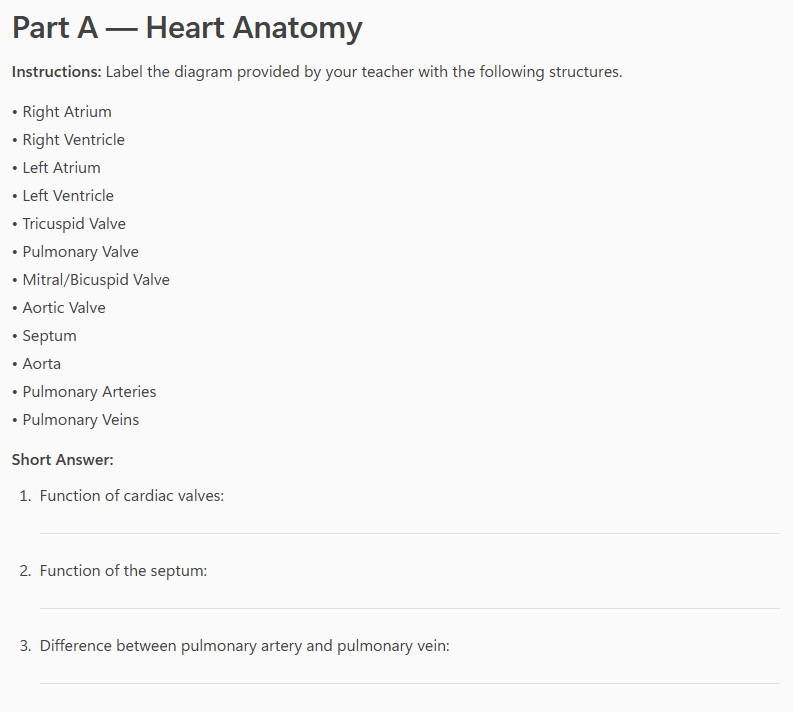
CoPilot presented me with 25min of direct instruction outlining anatomy, blood flow, and types of blood vessels, and purpose of the cardiovascular system. Next, was a learning activity outlining pre-made station cards, with which students would build a physical pathway on the floor and “walk” the path of a red blood cell through the heart. Finally, a diagram labelling activity was suggested to conclude the class. I also asked CoPilot to generate a worksheet for this content, that I would be able to handout to students.

Overall, I think the skeleton of this lesson plan isn’t horrible. A short lesson followed by 35min of interactive learning is a solid start. The learning activities include elements of kinesthetic and visual learning, which I like, and includes a good amount of key vocabulary. There was no evident misinformation.

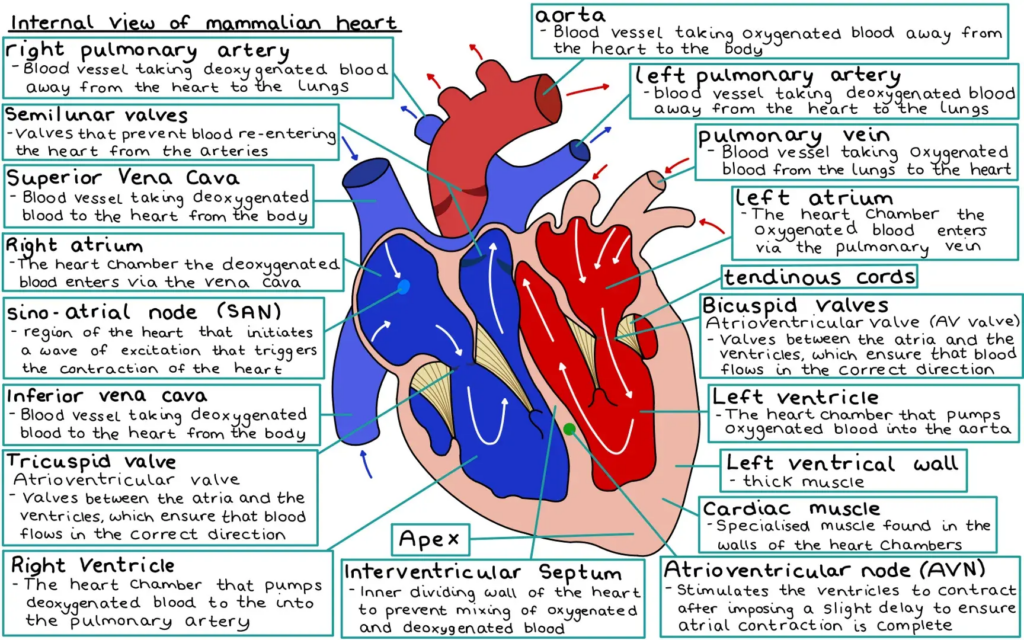
However, what was very apparent to me that was lacking from this lesson – depth, critical thinking, and visuals. Learning cardiovascular anatomy requires a solid understanding of where structures are, not simply their names. Further, the anatomical structures CoPilot listed, though correct, left out key players such as papillary muscles, atrioventricular bundle, SA and AV nodes, as well as carotid, brachial, and subclavian arteries, and R/L directionality applied when labelling. Without a strong visual component to this lesson (not provided by AI), students would be left royally confused about where each of these structures are located, which also affects their ability to understand their function. The questions posed in the worksheet did not comprehensively grasp upper level Bloom’s Taxonomy style questions, inquiring only about explicit function or differences. Questions such as “IF the atrioventricular valve was defective, WHAT would the IMPACT on blood flow be?” offer an element of critical thinking and require an understanding of anatomical structure and function.

A diagram such as the one below, depicts more depth and appropriately labelled structures. Overall, I think that GenAI offered a solid foundation for building a cardiovascular system lesson, lacking primarily in depth, critical thinking questions, and visual aids.

All images were generated using individual screenshots of Microsoft CoPilot, or provided publicly from Knowunity.

References

National Education Association. (2025). Student and Educator Data Privacy | NEA. Nea.org. https://www.nea.org/professional-excellence/student-engagement/tools-tips/student-and-educator-data-privacy

‌Trust, T., Maloy, R., Xu, C., & Pelletier, K. (2025). Civic education in the age of AI:
Should we trust AI-generated lesson plans? Contemporary Issues in Technology
and Teacher Education, 25(3), 418-442.